
How to share a Siftsy Brief
Use this guide to share a Siftsy Brief — a read-only link to a collection's current insights and metrics. Recipients can view the insights, scores, and top comments, but can't edit your analysis.
Create a brief
Open the collection you want to share
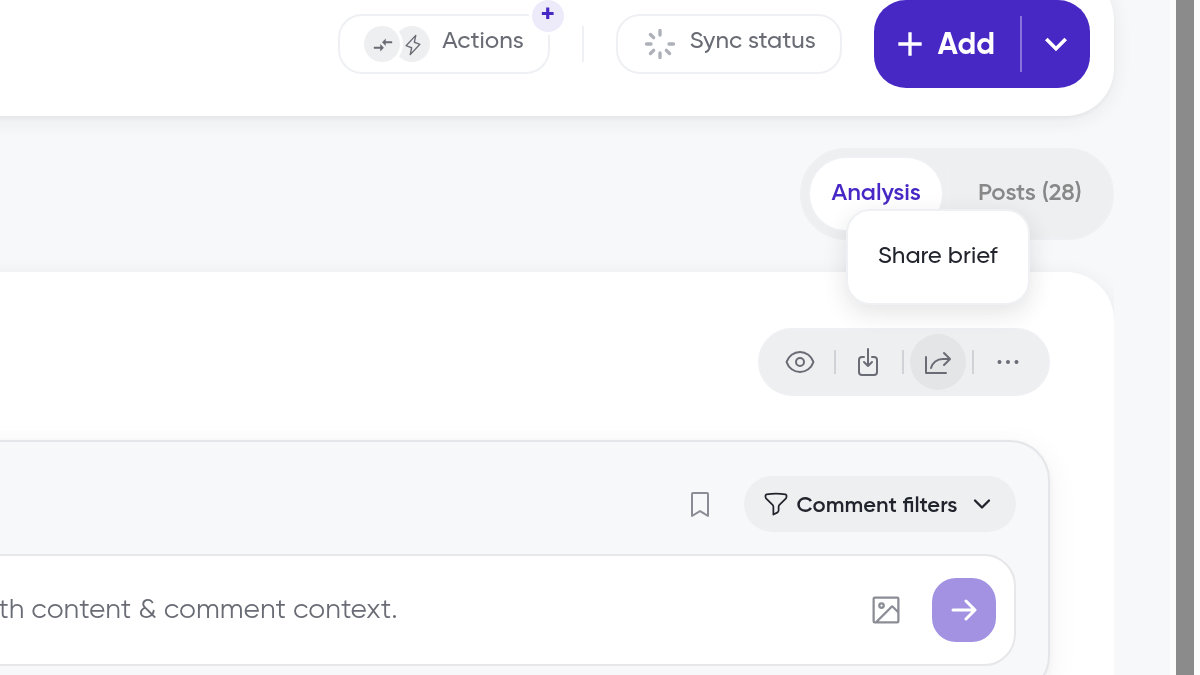
In the Analysis view, click the Share brief icon in the toolbar of the Comment Analysis card
In the Share Siftsy Brief dialog, review the Name
Siftsy fills in the collection name with the date and time. Recipients see this as the title
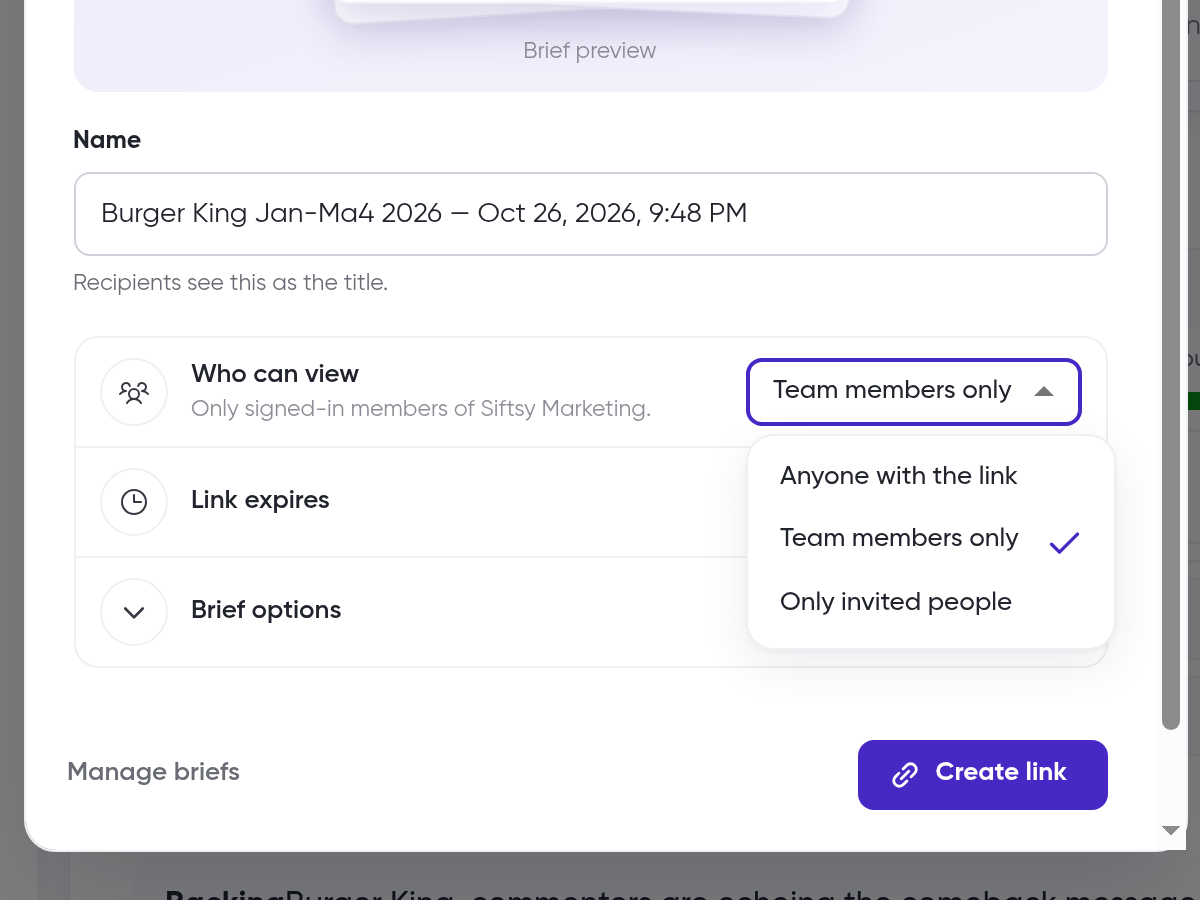
Under Who can view, choose Anyone with the link, Team members only, or Only invited people
Under Link expires, choose End of tomorrow, In 7 days, In 30 days, In 90 days, Never, or Custom
Optionally, expand Brief options and use Add note to give your team or client context (up to 2,000 characters)
Optionally, choose Add Article view (Beta)
Click Create link
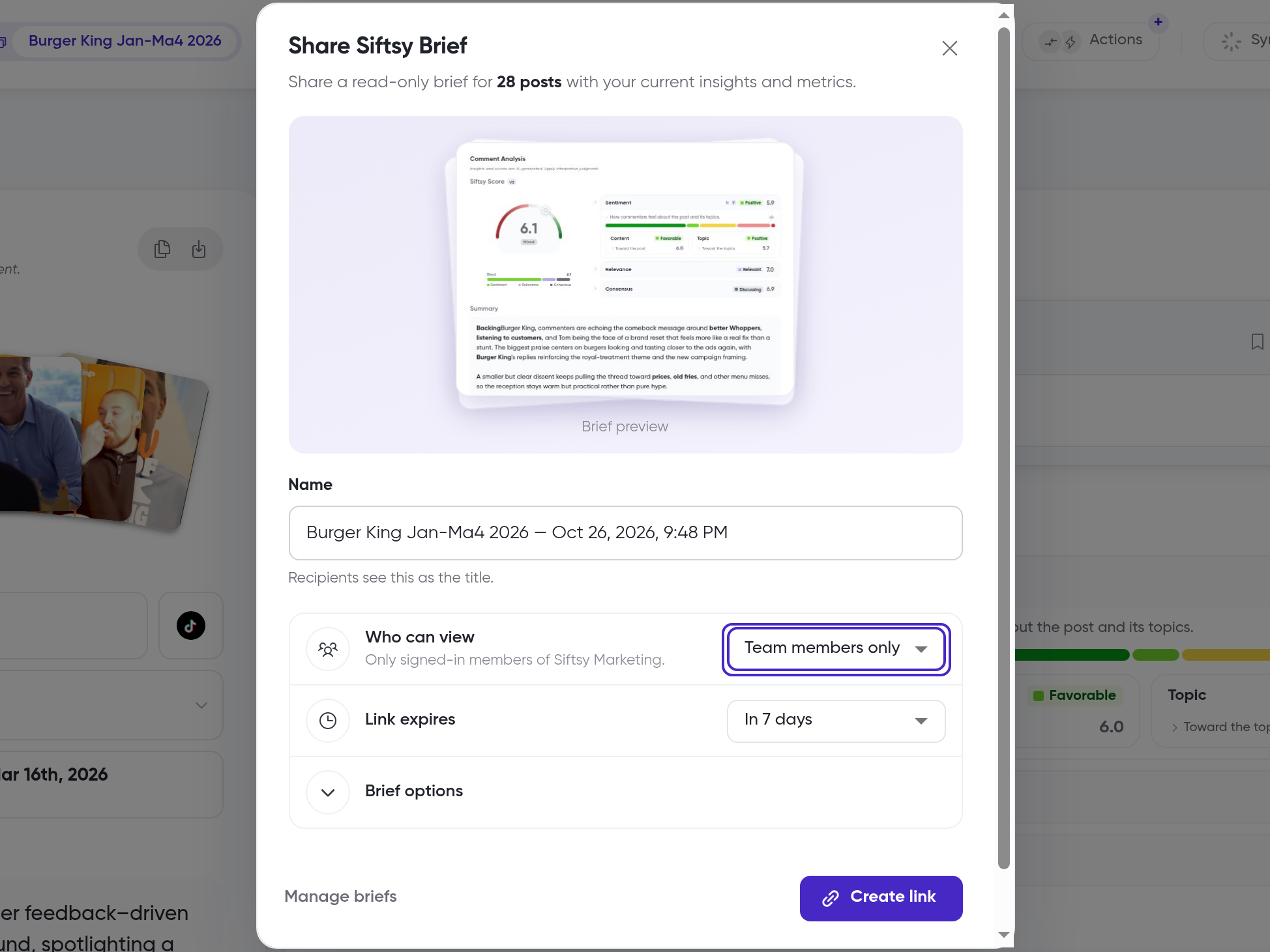
Siftsy creates a link to the brief that you can send to your recipients. The dialog shows how many posts the brief covers, such as 28 posts.
Who can view defaults to Team members only. Choose Anyone with the link or Only invited people when you need broader or tighter access.
Manage shared briefs
In the Share Siftsy Brief dialog, click Manage briefs
Search by title, metadata, or brief link
Filter by Access (All, Public, Restricted, or Team) and by Status (Active, Expired, or All)
Click the ... menu on a brief's row and choose an action
Copy link — Copy the brief's link to send again
Open brief — View the brief as recipients see it
Link settings — Change who can view the brief or when the link expires
Revoke — End access to the brief
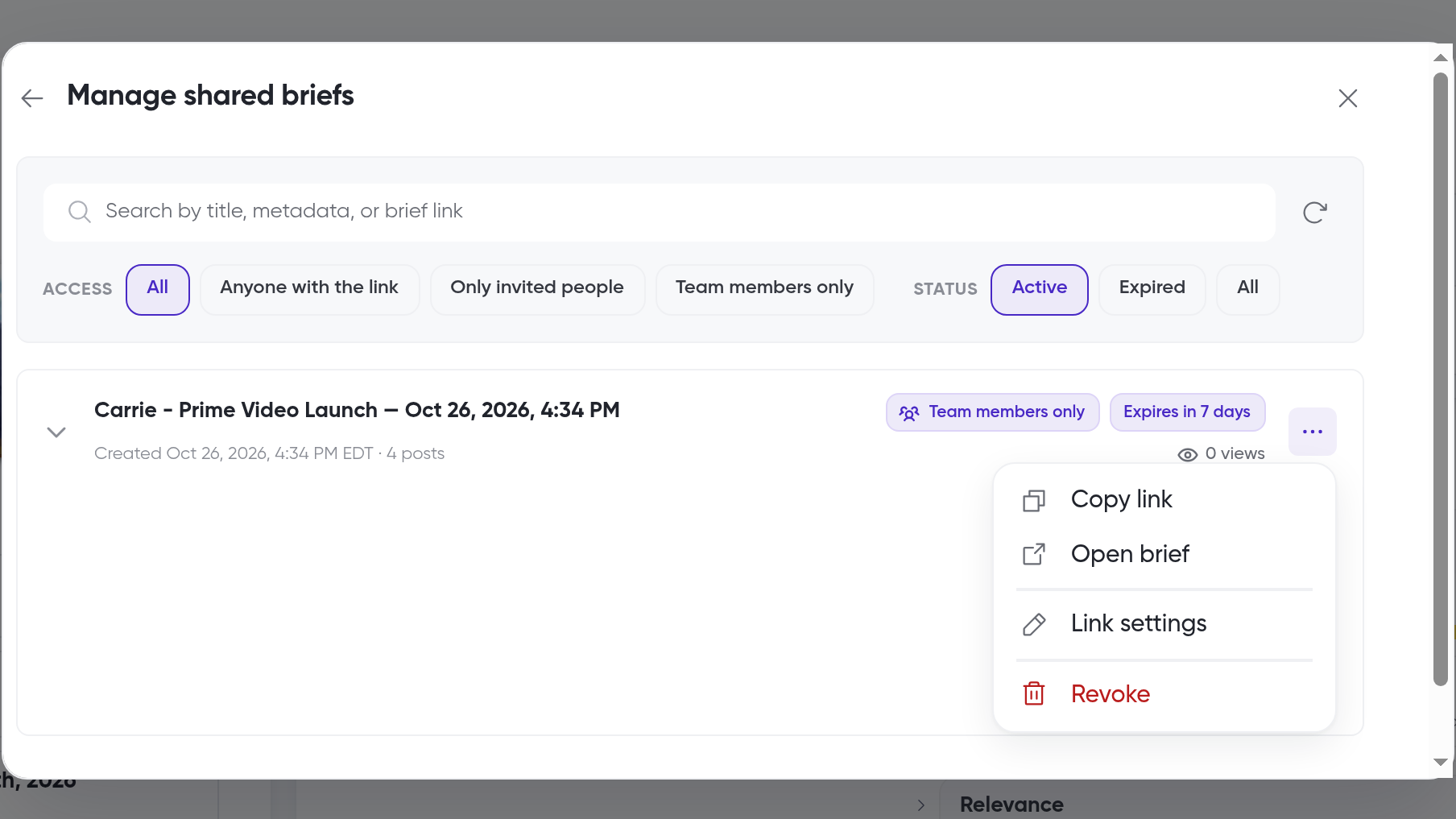
Each row shows the brief's access, when it expires, when it was created, how many posts it covers, and how many times it has been viewed.
You can also find briefs from the team home page. Click Activity, select the Briefs filter, then click Open brief.
What recipients see
When someone opens the link, Siftsy shows a short intro, such as "Siftsy Marketing shared a Siftsy brief with you". Recipients click Dive in to open the brief.
The brief opens as a read-only page. A banner at the top reads "Siftsy Marketing shared this Siftsy brief with you", followed by a short description of Siftsy. The brief name appears as the title, with the account, post count, date range, and Date Prepared below it.
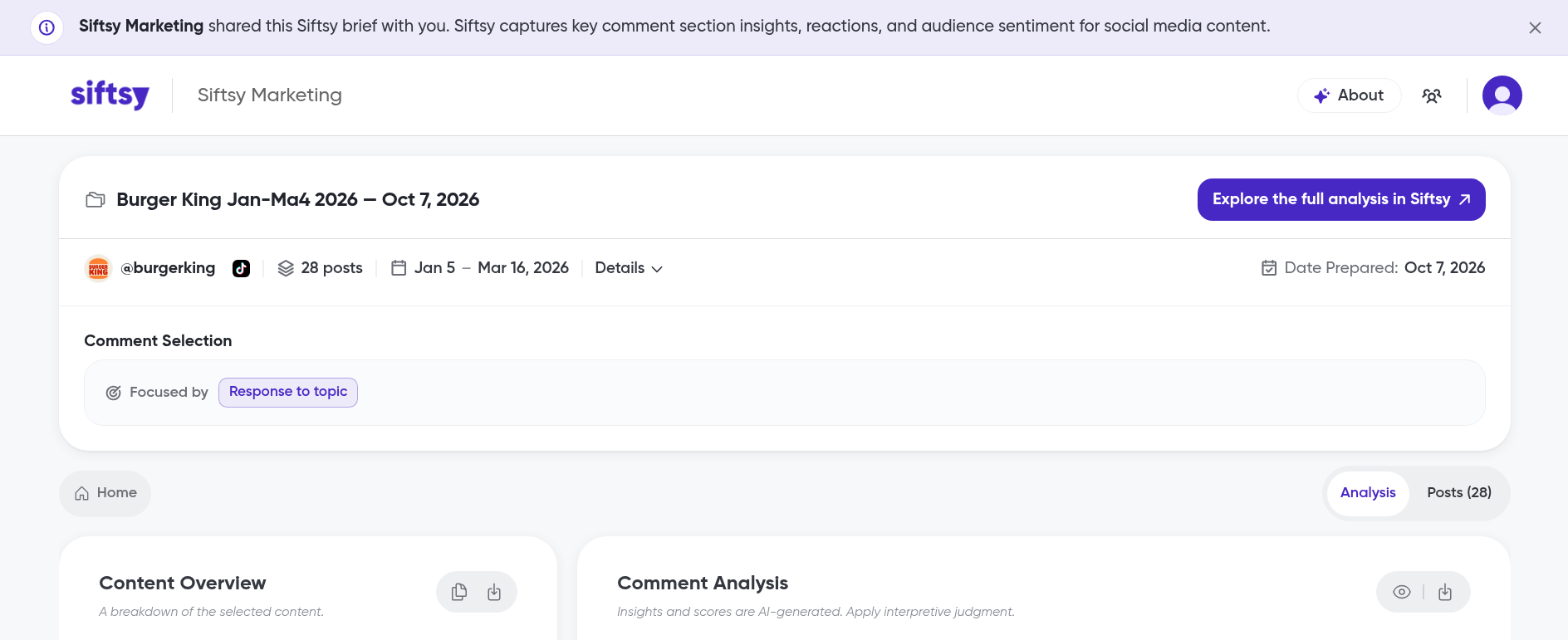
Recipients can explore:
Analysis and Posts tabs for the shared posts
Content Overview with the accounts, post count, dates, and metrics
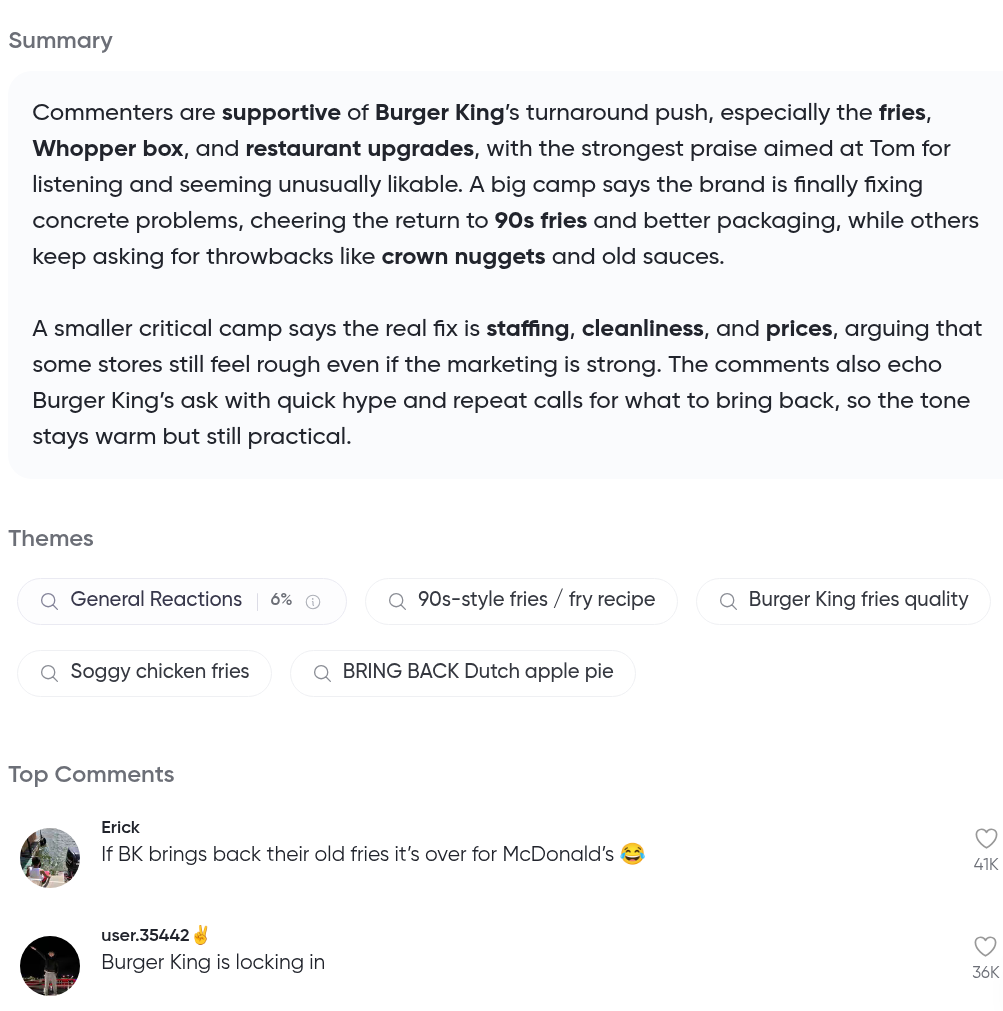
Comment Analysis with the Siftsy Score, Sentiment, Relevance, Consensus, Summary, Themes, and Top Comments
An About button and an Explore the full analysis in Siftsy button
What's next
To download a copy of the analysis instead, see How to export insights. To give colleagues access to briefs shared with Team members only, see How to add teammates to your team.