
What's New in Siftsy 4.2
Siftsy 4.2 is here! This release brings Shared Briefs, Automations, Analysis by Time, Activity Feed, and the Analyst API, so you can share insights outside the dashboard and keep them up to date on their own.
Shared Briefs
Share insights with anyone. Turn any analysis into a read-only brief and share it with one link. You choose who can open it (Anyone with the link, Team members only, or Only invited people) and when the link expires. Each brief shows exactly what was analyzed, and signed-in viewers can jump into the live dashboard. All your shared briefs are listed in Share Management.
Share brief → Create link
Automations
Fresh data, on schedule. Set posts or accounts to refresh daily, weekly, monthly, or on a custom schedule. Watch posts keeps comment analysis current, and Monitor account pulls in and analyzes new posts automatically. You can pause or resume an automation from the Selection Bar.
Selection Bar → Automate → Set Up Automation
Analysis by Time
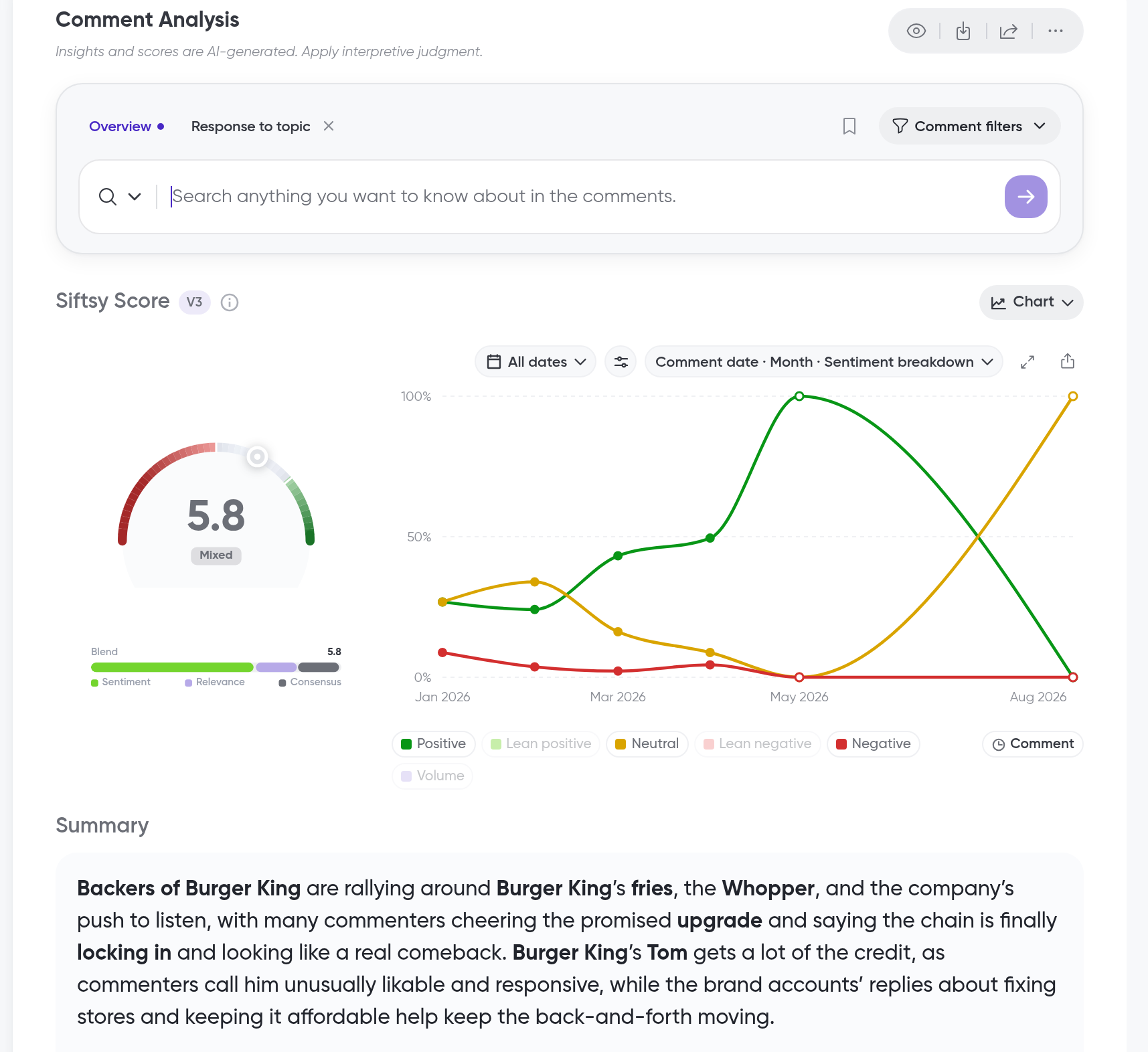
Sentiment, over time. Chart sentiment and Siftsy Scores by day, week, or month. You can add comment volume to the chart, and clicking any point shows the comments from that period.
Comment Analysis → Chart → Click a Period
Activity Feed
Know what happened. One timeline of everything your team does, including uploads, collection changes, automation runs, API actions, and shared briefs. You can filter it, search it, and get email digests on the schedule you pick.
Team Home → Activity
Analyst API
Bring Siftsy into your stack. Send Siftsy data to your data warehouse or BI tools, and add content from your own pipelines. You create API keys and track usage in Team Settings. Available on Powerhouse and Enterprise plans.
Team Settings → Developers → Analyst API
For connecting Claude, ChatGPT, or Gemini, see Siftsy Analyst MCP
Also new
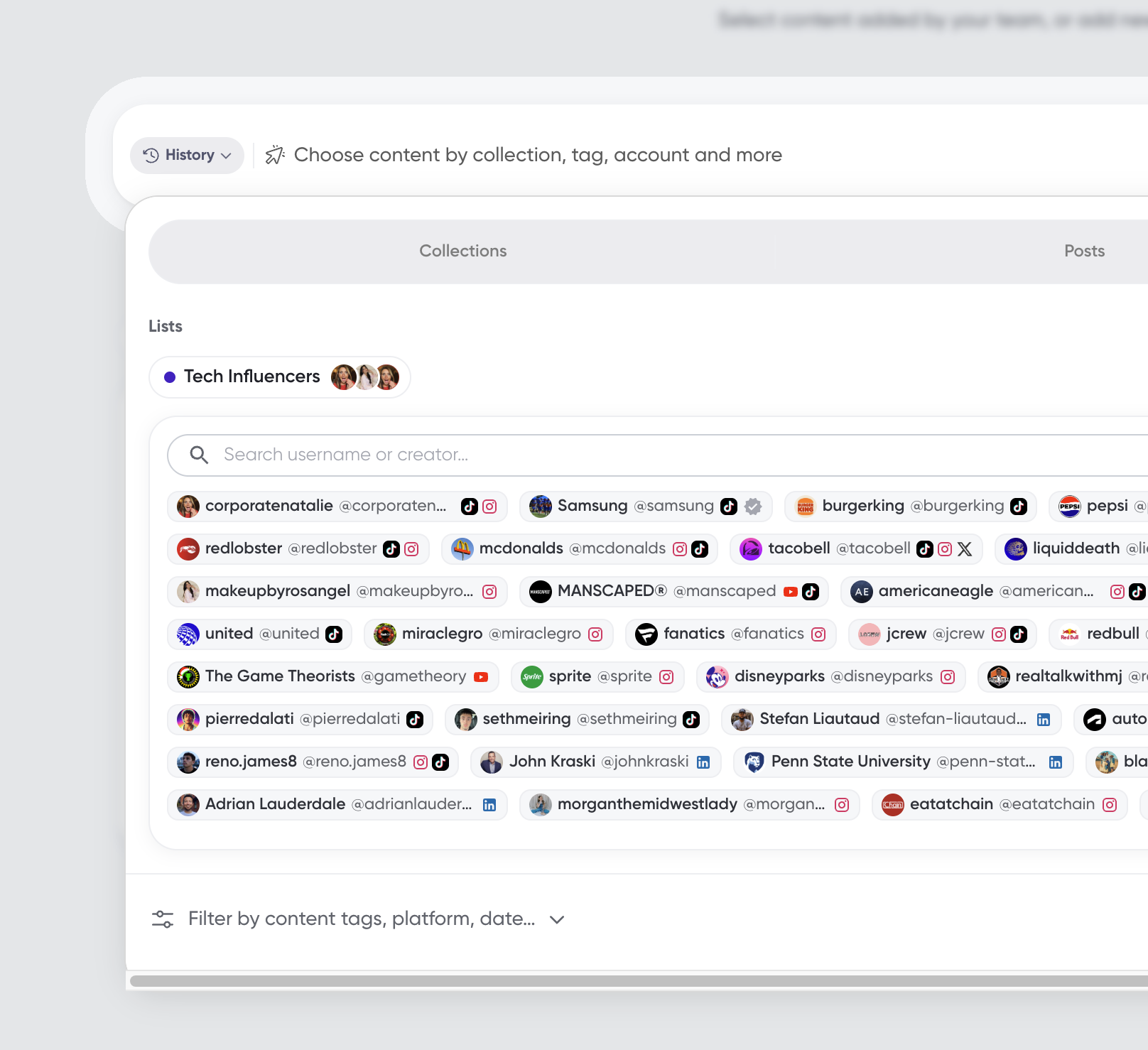
Account lists. Create account lists, such as Owned Accounts, Editorial Accounts, and Competitors, to simplify filtering and comparison in collections with mixed coverage of the same campaign or subject. Use these lists in Compare Mode to make owned-versus-earned or UGC vs. Influencer analysis and comparisons easier.
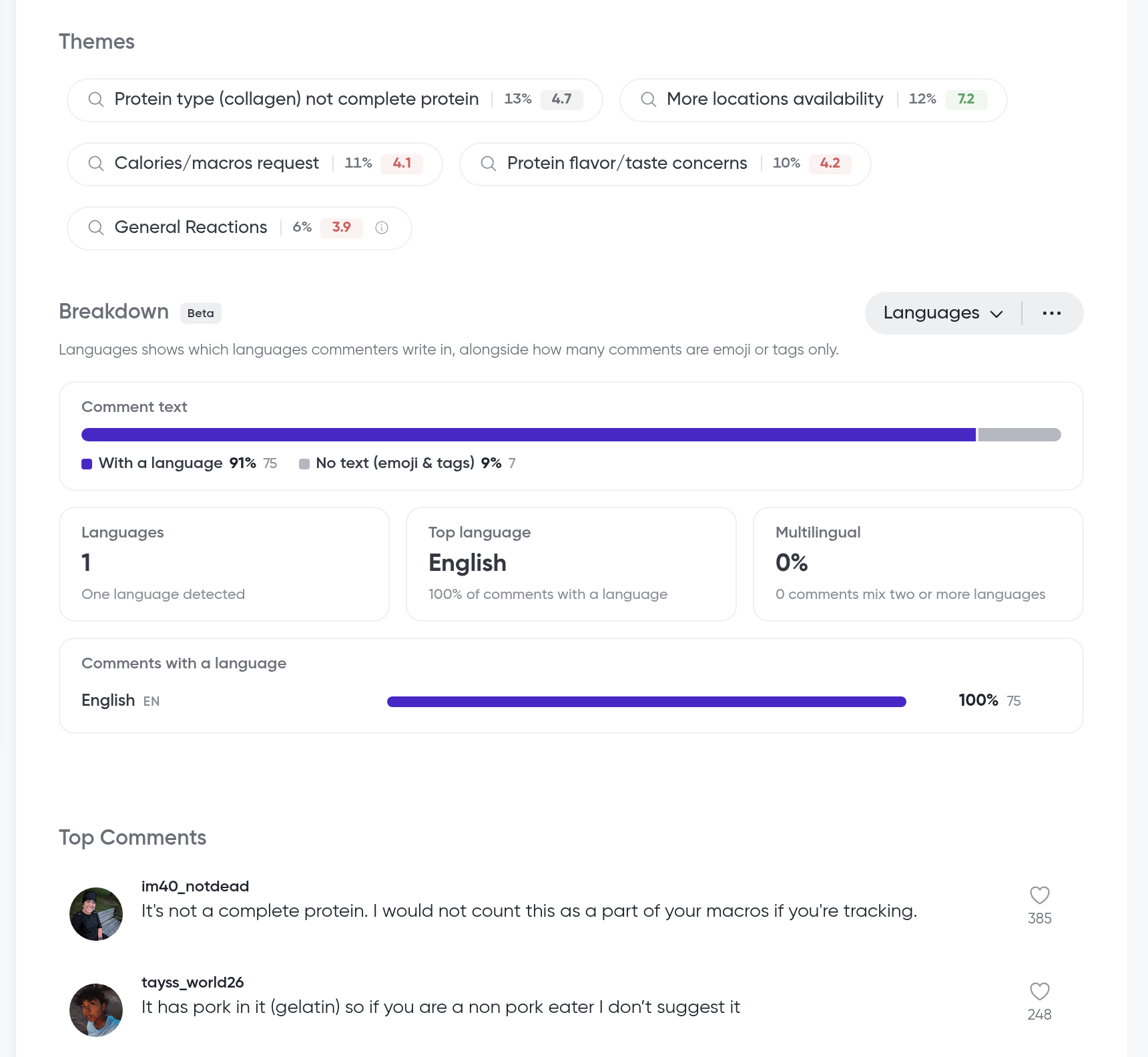
Analysis improvements. The updated theme breakdown is now inline in the analysis panel. The analysis breakdown also includes Languages for all newly analyzed content, so you can see which languages commenters use and filter comments by language.
Scoring timeline. Select Chart in the Scoring section of the analysis to see comment scoring and sentiment over time, and use comment filters to filter comments by time.
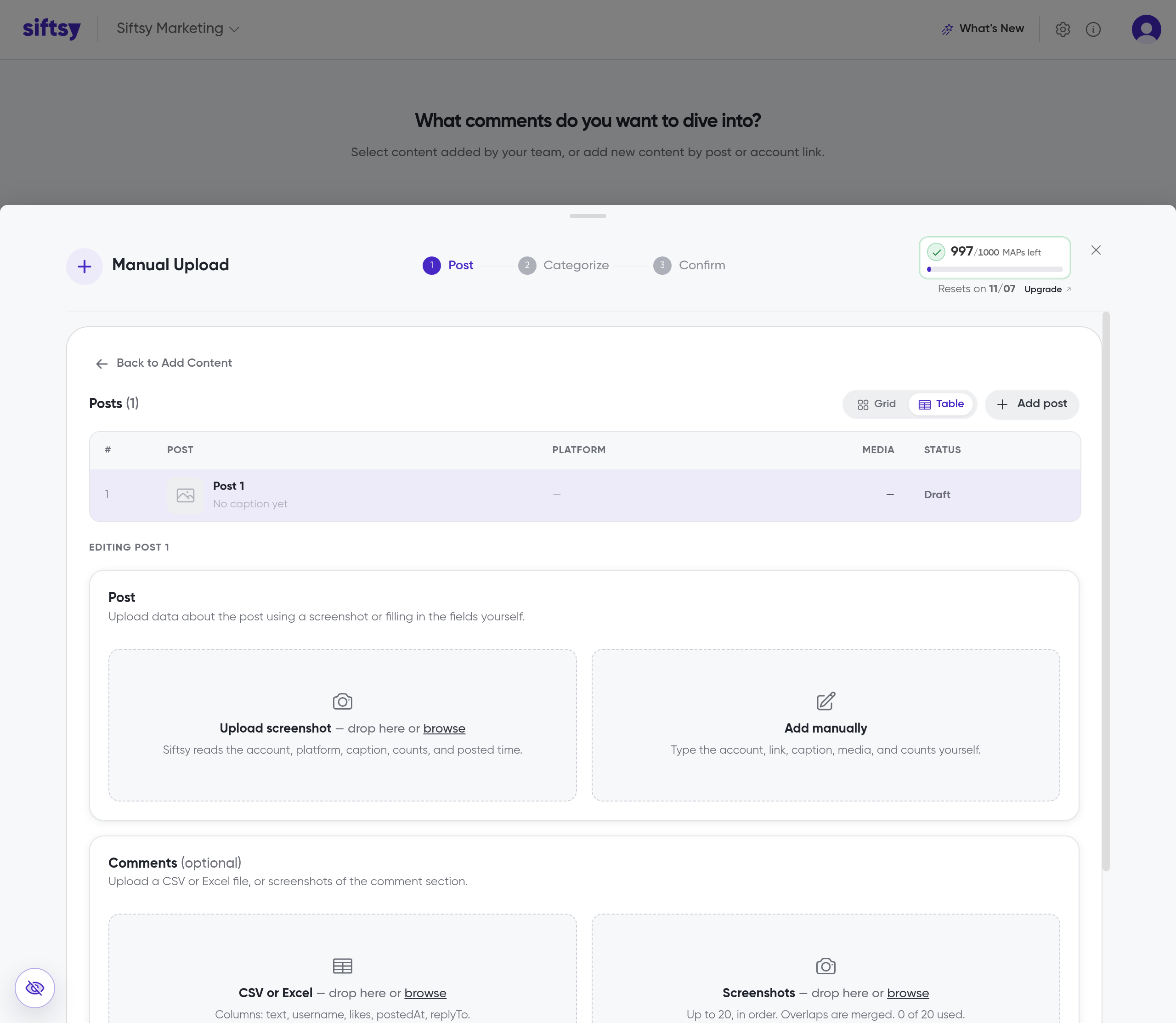
Manual content upload. Upload posts and comment data manually to analyze content outside of supported platforms.
Conclusion and next steps
Explore these guides to put the 4.2 features to work.
Happy Sifting! We can't wait to see what you automate, share, and uncover with this release.