
How to archive or unarchive posts
Use this guide to hide posts in Siftsy. Archiving removes posts from any analysis.
To archive or unarchive posts, you need to upload posts first. See How to upload posts
Archive posts
In your Siftsy dashboard, click the Posts tab to access the Post Table.
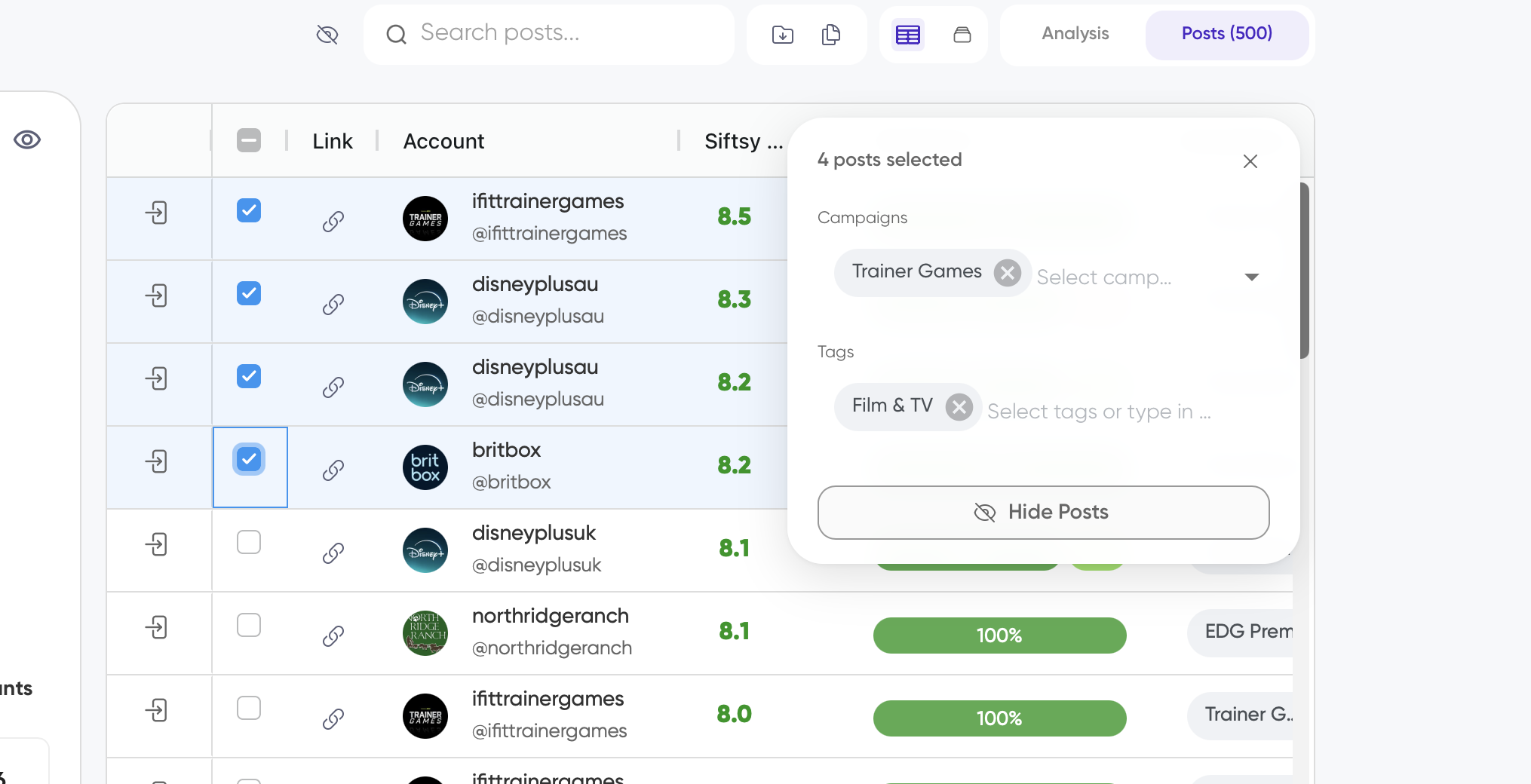
Select one or more posts you'd like to archive
Click Hide Posts in the pop up menu
Unarchive posts
In your Siftsy dashboard, click the Posts tab to access the Post Table.
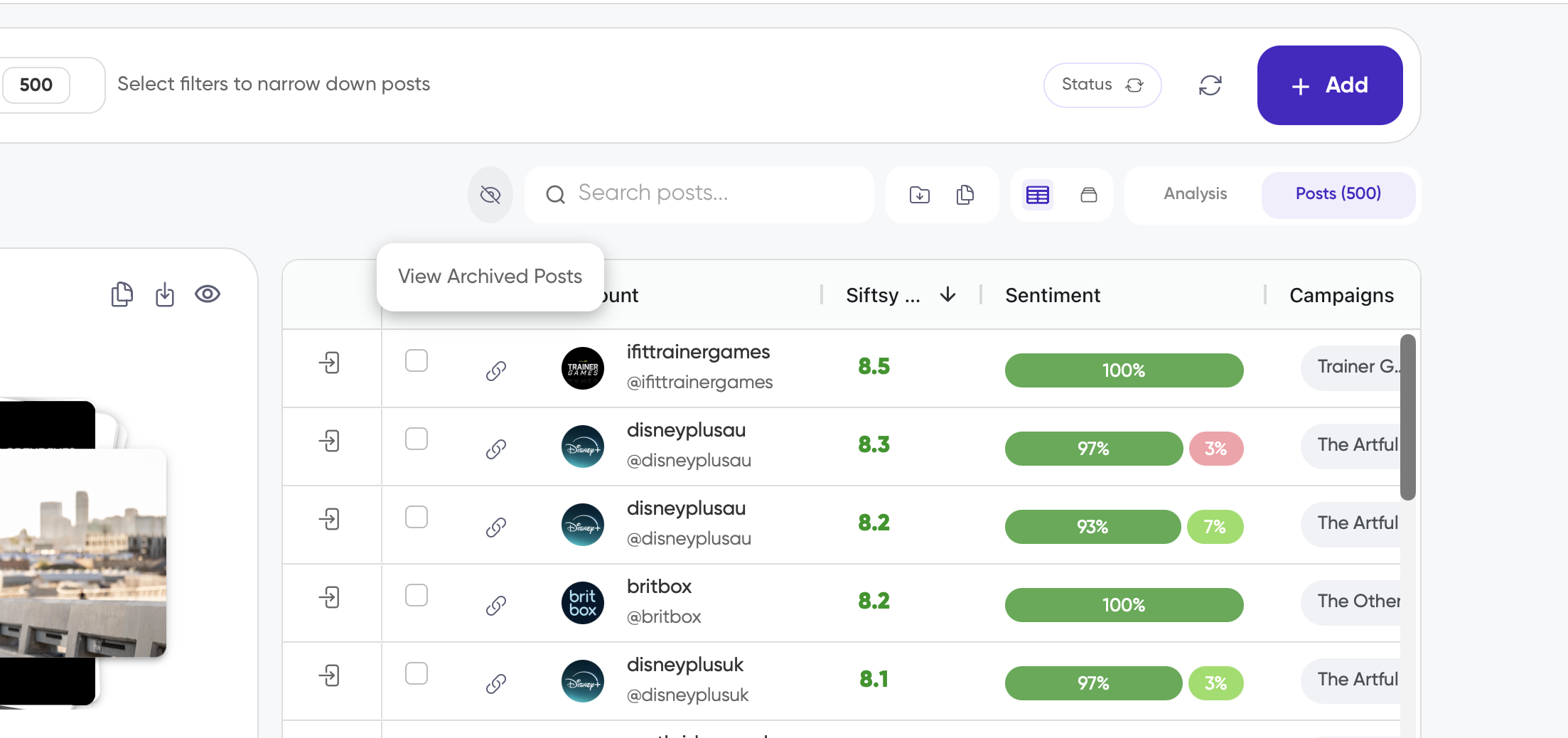
Click on the View Archived Posts button.
n
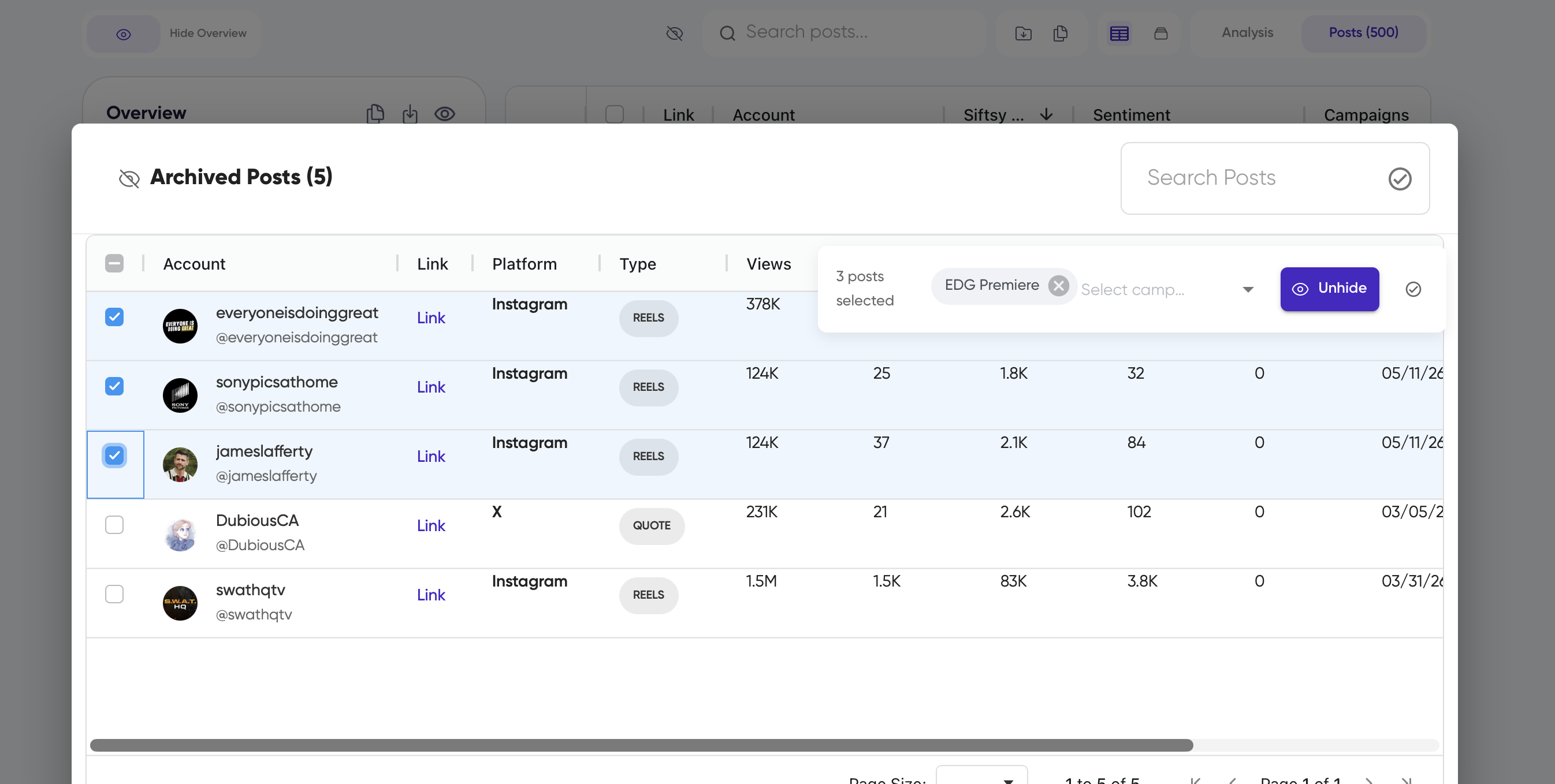
In the Archived Posts panel that appears, selectone or more posts you'd like to unarchive
Click Unhide in the action bar that appears
Unarchiving does not re-analyze the post and does not use a new MAP.
What's next
Learn how posts affect your MAPs limit in How to track MAPs usage, or if you want to analyze the comments under any posts, see How to create an analysis.