
How to add posts by account link
Add all posts from a public Instagram, TikTok, YouTube, or Facebook account at once instead of pasting individual links. You will paste the account URL, confirm it, search for posts, and choose which ones to analyze.
Before you start
This feature is available on the Growth plan and above. Account-link upload is available for Instagram, TikTok, YouTube, and Facebook. The account must be public. For Facebook, only public Pages are supported — personal profiles and groups are not.
Add posts by account
From the dashboard, click Add Posts in the top right
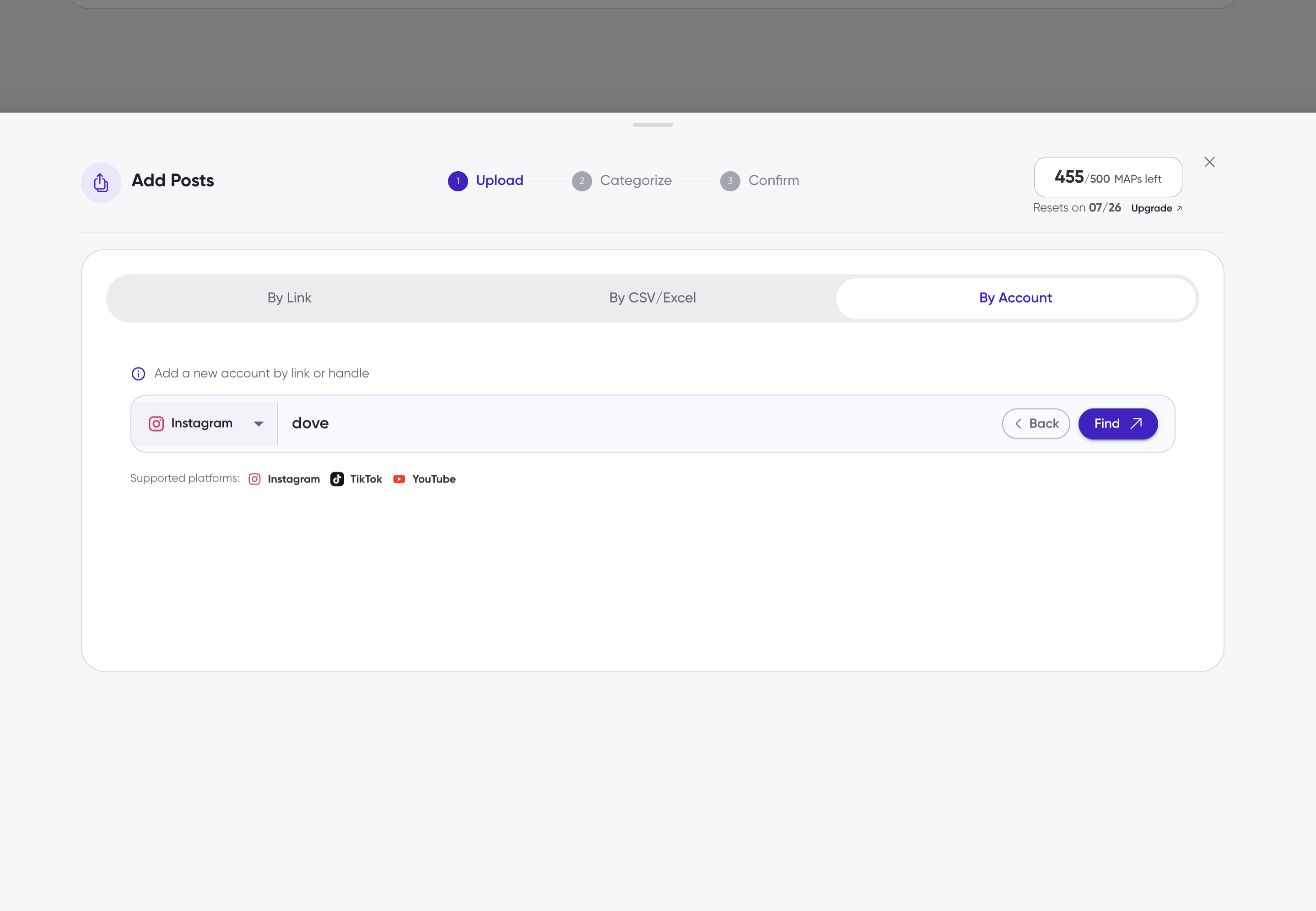
In the Upload Posts panel, select the By Account tab
Paste the public profile URL for the Instagram, TikTok, YouTube, or Facebook account you want to add
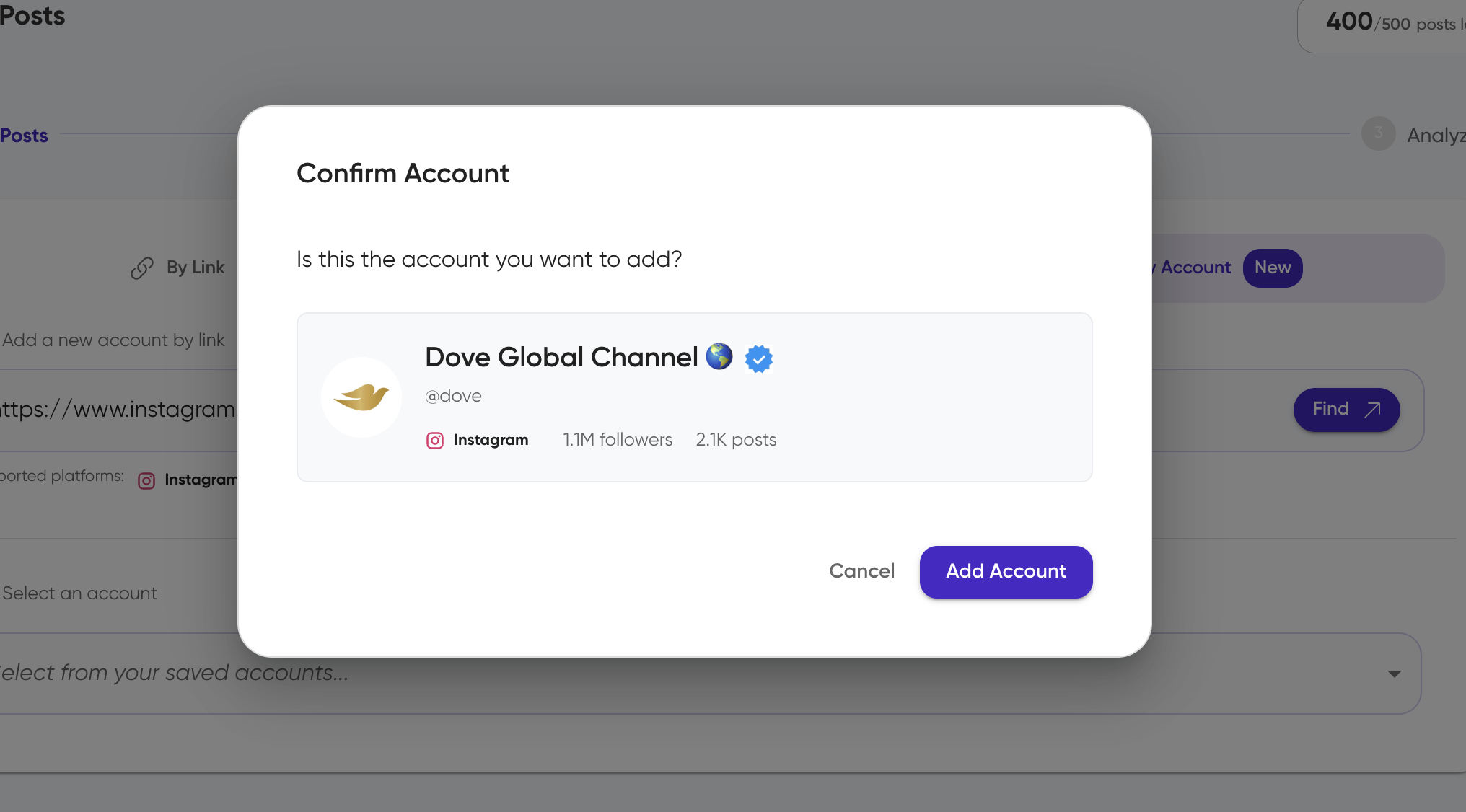
Click to confirm the account
Select the confirmed account from your saved accounts list
Confirmed accounts are saved for current and future use
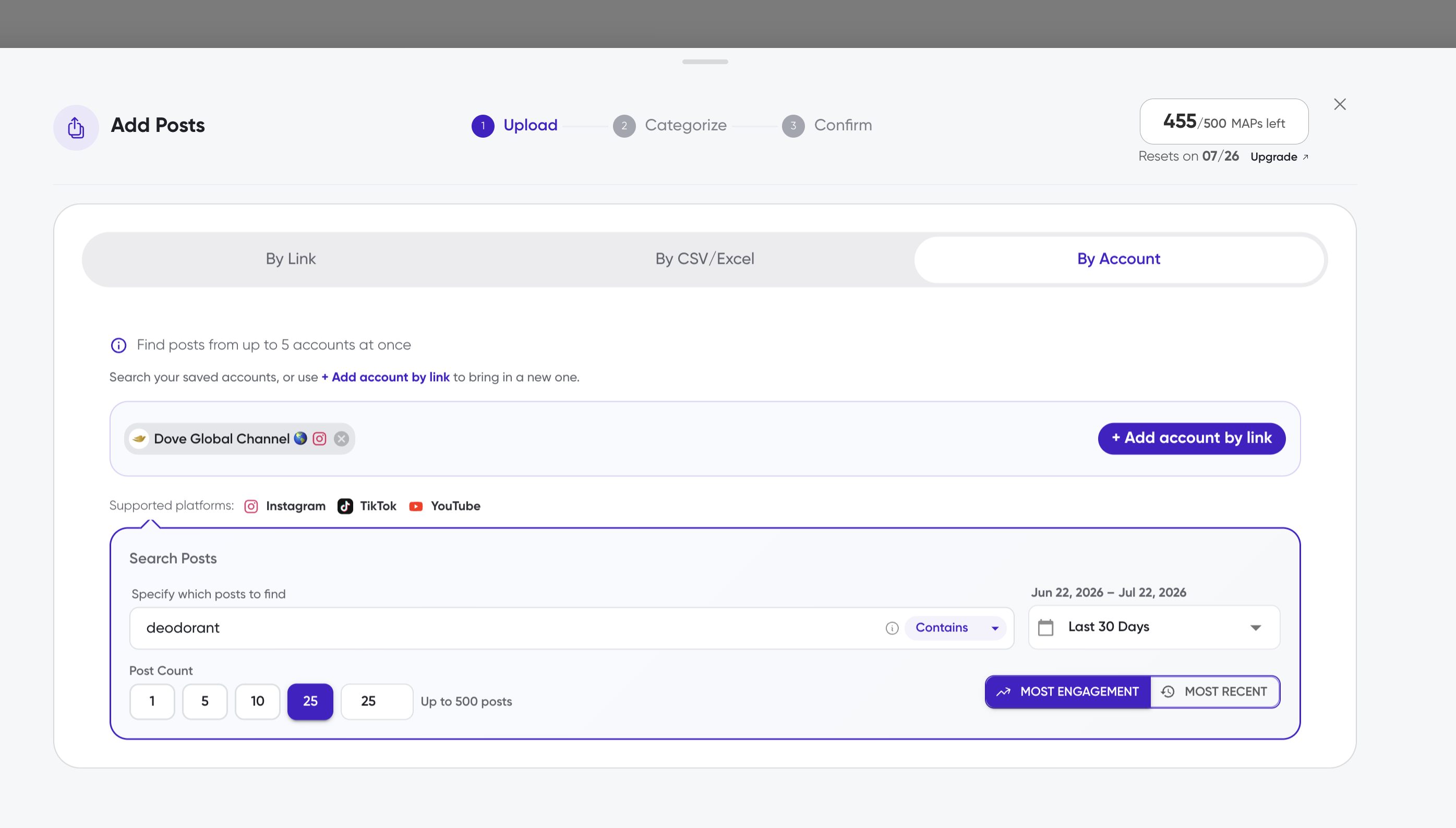
In Select Posts, set your search criteria
Choose a date range
Choose to prioritize posts with the most engagement or the most recent posts
Enter keywords to filter by post caption
Click Find Posts
Select the posts you want to analyze
Posts that are already analyzed are marked Analyzed and cannot be selected
You can select up to 1000 posts per search
Click Continue
Choose an existing campaign or leave as All Posts, then click Analyze
What happens next
The selected posts appear in Posts to Analyze with a loading indicator. Analysis completes in minutes to a few hours depending on comment volume. Once finished, each post shows its Sifty score and comment count.
Notes
Siftsy still analyzes on the post level. Adding posts by account only changes how you discover posts, not how they are analyzed.
Private accounts cannot be accessed.
Related articles
How to add posts
How to bulk add posts
How posts are processed