
How to explore and search the comments
Use Search to find specific comments in an analysis. Search helpers give you three ways to search (Keyword, Username, and Topic), and every search opens in its own analysis tab.
Run a search
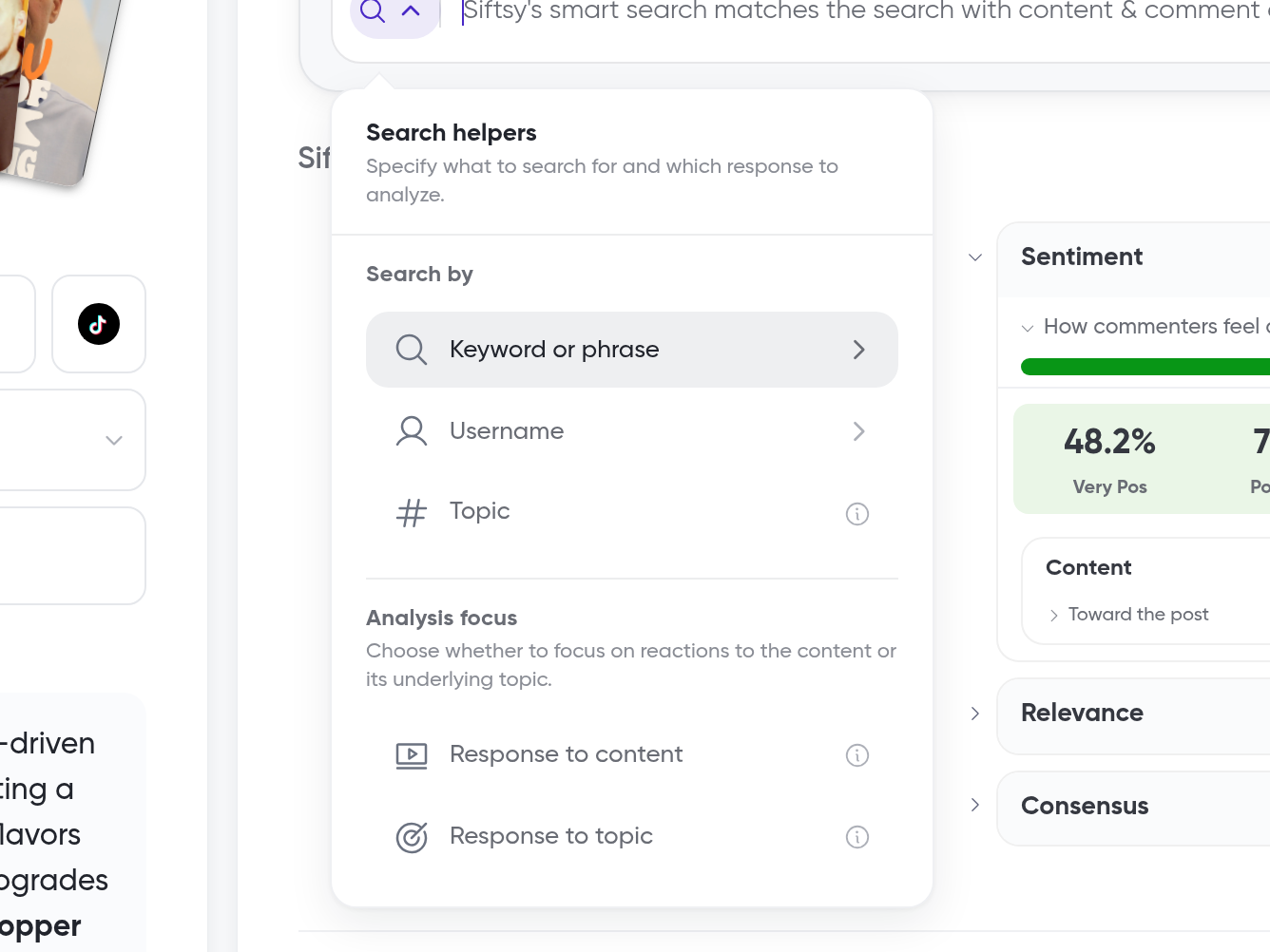
Search has an Overview tab and Search helpers for Keyword, Username, and Topic searches. An Analysis focus option lets you target responses to the content or responses to the topic.
Open the analysis with the comments you want to search
Open Search
Choose a Search helper: Keyword, Username, or Topic
Enter the word, phrase, handle, or theme you want to find
Set the Analysis focus to responses to the content or responses to the topic, if you want to narrow the search this way
Click Run search
Each search creates a new analysis tab with its own context, search term, metrics, and insights card. Your original analysis stays open, so you can compare different views of your comments side by side.
What's next
Narrow results further with How to filter comments, or follow a specific commenter in How to track brand comments and reply threads.