
How to sync posts
Use this guide to refresh posts with new comment data. You can sync individual posts or multiple posts at once from the table view.
Sync posts from the Posts tab
Open the collection that contains the posts, then open its Posts tab
Use the Resync column to refresh the posts you want
The posts will re-process and update with new comment data.
Included resync cadence by plan
Growth plans include weekly resyncs. Powerhouse and Enterprise plans include daily resyncs, unless your Enterprise plan specifies a custom cadence. Resyncs on or over your plan's included cadence don't use extra credits; resyncs within it draw from your post credits, and you are notified of this prior to resyncing.
To keep posts fresh on an ongoing schedule, set up an automation instead of syncing by hand. Watch posts re-syncs posts you have analyzed, and Monitor account adds new posts from accounts on a schedule. See How to automate post syncs and monitor accounts.
Instant refreshes with post credits
You can instantly refresh any post at any time using post credits. Open the table view, select the posts, and click Resync. The credit cost is deducted from your balance.
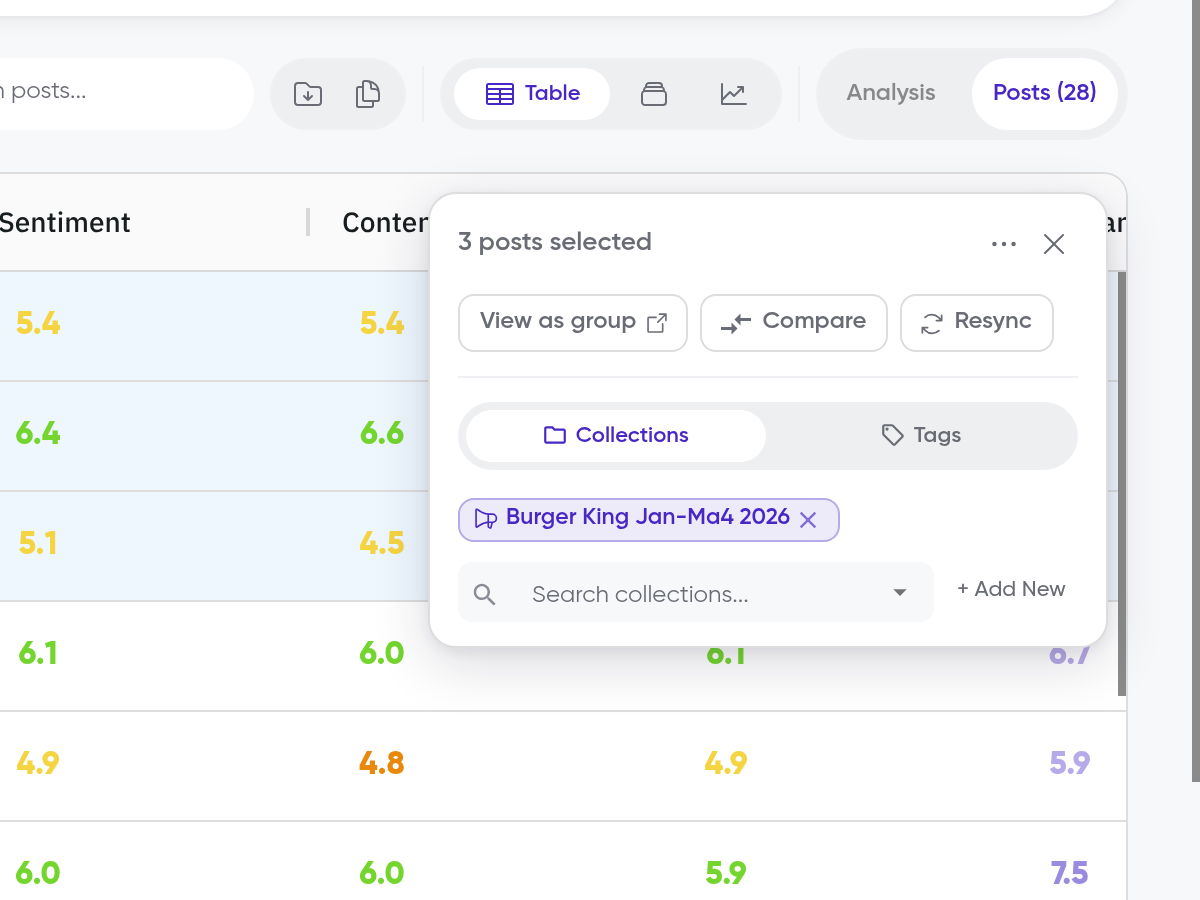
A post can only be synced once every 30 minutes. If you need to refresh more frequently, wait before trying again.
What happens when you sync
When you sync a post:
Siftsy pulls the latest comments from the platform
Comment counts and engagement metrics update
The Siftsy Score recalculates based on all current comments
Themes and sentiment breakdowns update to reflect the latest data
Check the Score Over Time chart in Content Overview to see how a post's score has changed across syncs.
What's next
After syncing, view your updated analysis in How to start analyzing comments, or export your findings in How to export an analysis.