
How to manage notification settings
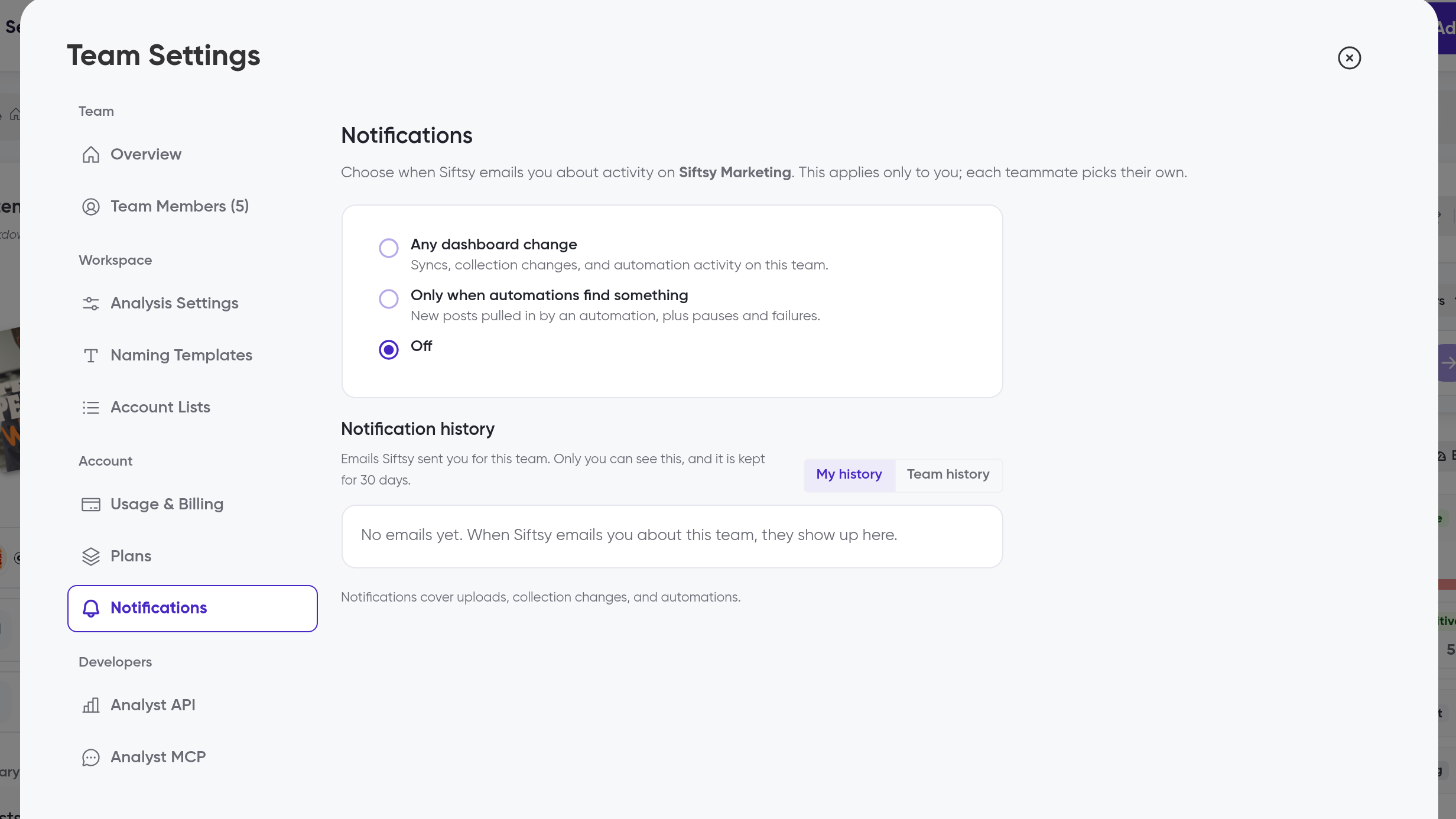
Choose what email notifications you get from Siftsy and review the last 30 days of them in Team Settings → Notifications. The Activity Feed bell opens the same settings; this tab is their home.
Change what you're notified about
Go to Team Settings → Notifications
Under the notification scope option, choose one:
Any dashboard change
Only when automations find something
Off
Under How often, choose how frequently you get notified
You can change either setting at any time.
See your notification history
The Notifications tab keeps a 30-day history of notifications. Switch between My and Team to see just yours or everyone's.
What's next
See what generates activity in How to use the Activity Feed, and set up the automations that trigger Only when automations find something in How to automate post syncs and monitor accounts.
Was this helpful?
Was this helpful?